



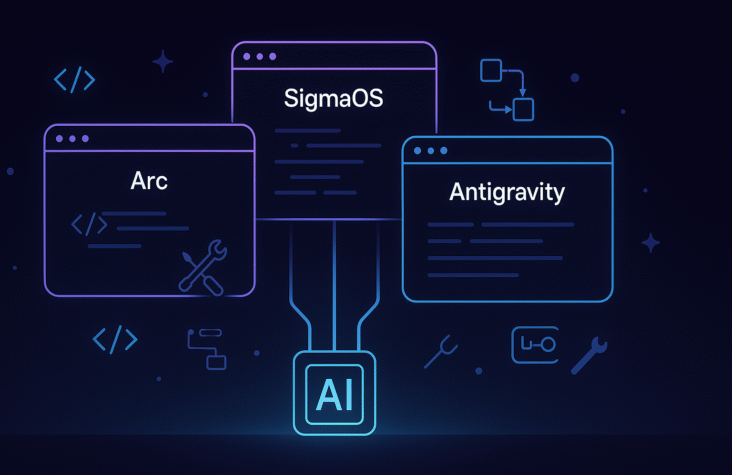
AI Browsers Are Becoming Development Tools — The Rise of Arc, SigmaOS, and Antigravity
I have started to notice something interesting in my workflow. The browser is no longer a place where I simply open tabs. It has quietly turned into a development tool. With Arc, SigmaOS, and the arrival of Google Antigravity, the browser now feels like a command center where I write code, test ideas, manage automations, run agents, and even build full features without switching apps.
This shift is happening because browsers are finally merging three worlds that previously lived separately. They bring together AI copilots, code execution capabilities, and workspace organization into one unified environment. Developers get a faster workflow. Founders get a productivity upgrade. And early adopters get a new advantage because these browsers are evolving much faster than traditional IDEs.
Why AI Browsers Are Becoming Engineering Tools
AI browsers solve three big problems that every developer deals with.
1. Too many tabs and scattered context
Arc and SigmaOS organize sessions, profiles, and spaces in a way that feels natural. Instead of juggling 20 windows, everything is grouped around tasks or projects.
2. AI is now inside the browser, not in a separate window
Instead of jumping between ChatGPT, documentation, GitHub, and VS Code, developers receive inline help, code rewrites, and automation suggestions directly inside the browser.
3. The browser itself is becoming programmable
Arc Boosts, SigmaOS commands, and Antigravity automations allow you to create custom flows that normally required scripts or external apps.
At this point, the browser behaves much closer to an AI native operating system than a classic tab viewer.
Also Read:Magentic-UI vs Vercel AI UI vs Anthropic Tool Use UI: Which One Should You Use?
Arc: The AI Browser for Everyday Productivity
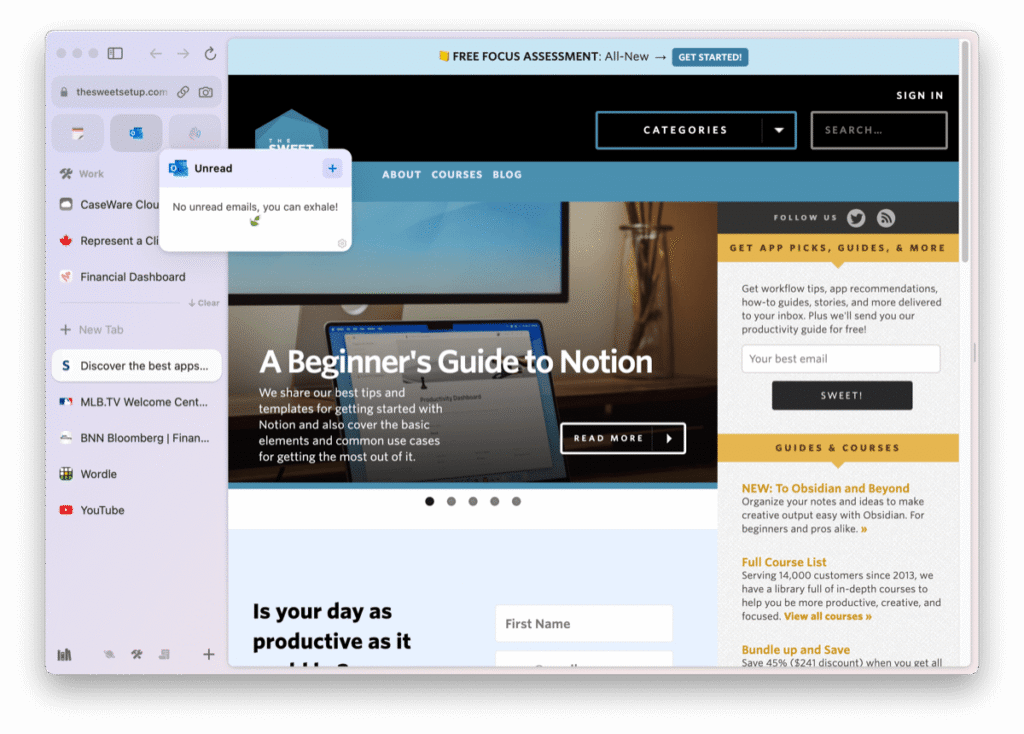
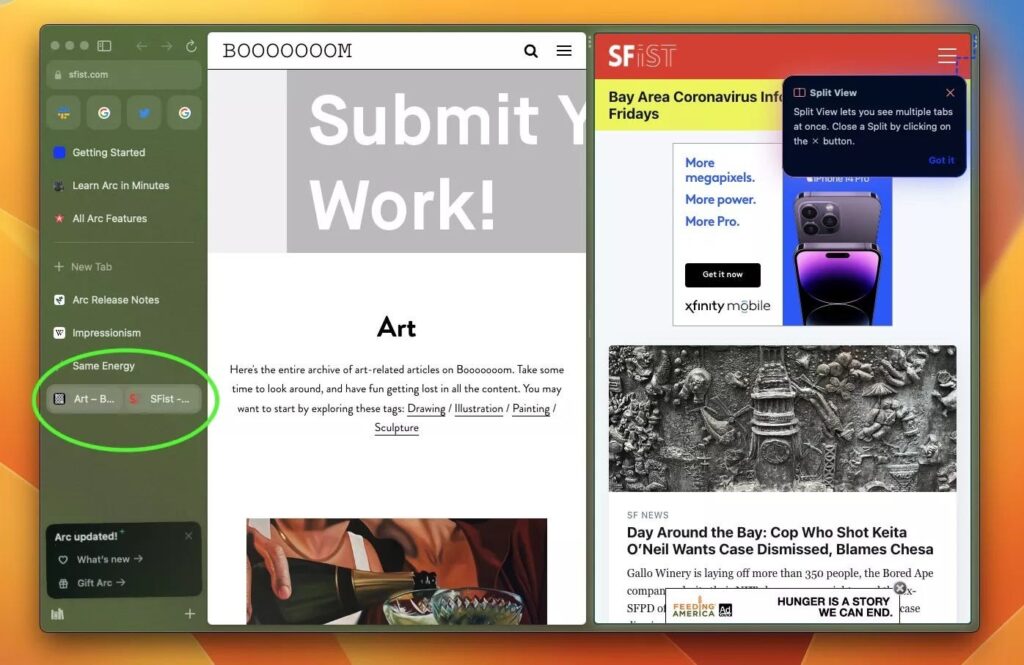
Arc has become extremely popular among developers who want simplicity and structure.
Key strengths
- Spaces for different projects
- Pinned workflows
- Boosts for custom scripts
- Built in AI assistant for rewriting content or generating ideas
- Smooth multi window layout for debugging and testing
Why devs use it
Arc reduces friction. When I am debugging an issue, searching logs, and checking GitHub, Arc keeps everything together. It feels like it understands context instead of just opening tabs.
Also Read:How MCP Is About to Replace Traditional APIs
SigmaOS: A Browser Designed Like a Notebook for Multi Tasking
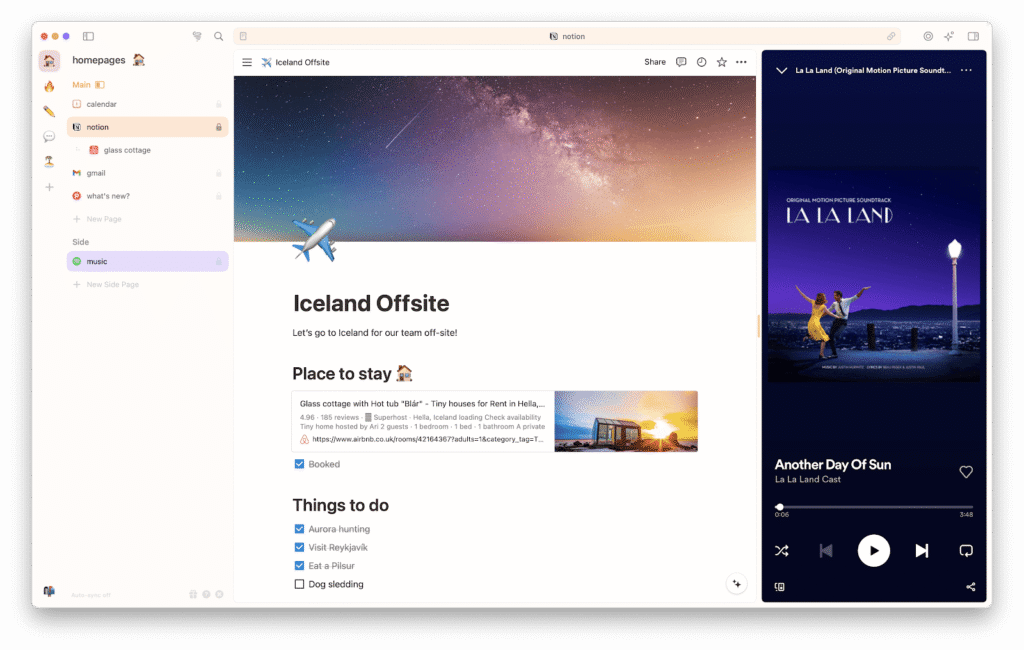
SigmaOS is built for people who work across many tasks at once. Developers like it because it gives them a split environment that behaves like Notion plus a browser.
Highlights
- Tasks are first class objects
- You can open multiple apps inside one workspace
- AI summaries and rewrite tools
- Keyboard centric navigation
- Great for research heavy work or building product requirements
What makes it different
SigmaOS encourages flow. I can research APIs, outline architectures, validate ideas, and track requirements without leaving the workspace. It is almost like having a personal AI researcher running next to me.
Also Read:How AI Agents Turn Prompts into Full Workflows
Antigravity: The First Browser That Behaves Like a Full AI IDE
Google Antigravity is the one getting the most buzz because it goes much further than productivity. It aims to be a complete AI assisted development environment built inside the browser.
Key capabilities
- Code generation and refactoring
- Autonomous agents that rewrite files
- Live browser automation
- Real time collaboration
- Support for multiple AI models including Gemini, Claude Sonnet, and open models
- Terminal like debugging inside the tab
What this means
Antigravity is turning the browser into a development machine. It feels closer to Cursor, but with browser level automation added on top. You can build, test, and ship small features without ever opening VS Code.
Also Read:Google Antigravity Is Reimagining the Future of AI Driven Software Development
Why This Trend Matters for Developers
This shift changes developer workflow in a few important ways:
1. Faster shipping
You can turn ideas into prototypes in less time because the research plus execution happens in one place.
2. Better context awareness
AI inside the browser sees your active tabs, tasks, and documentation which leads to more accurate assistance.
3. Lightweight development
Not every task needs a full IDE. Many small fixes, config updates, and content driven changes can be done inside the browser itself.
4. Cross device flexibility
Workflows stay synced. Developers can switch between desktop and laptop without losing project context.
Why This Trend Matters for Founders
1. Faster product iteration
Founders can test ideas, design flows, and validate features without deep technical setup.
2. More competitive teams
Teams using AI browsers move faster because they reduce switching time and improve focus.
3. Cost savings
Early stage companies need fewer tools. Many productivity apps are replaced by a well configured AI browser.
4. Better onboarding
New developers understand your product faster because the workspace becomes structured and AI assisted.
Where This Is Going Next
AI browsers will eventually merge:
- Autonomous agents that can perform tasks
- Local LLMs for privacy
- Integrated terminals
- Real time collaboration
- No code workflows
- AI powered code review inside tabs
- Monitoring dashboards hooked into the browser
This future turns the browser into an operating system for developers and founders. It becomes the new home for thinking, building, researching, deploying, and automating.
Also Read:From Prompting to Context Engineering: How AI Workflows Are Evolving
Conclusion
AI browsers are not just a trend. They represent a new category of development tools that blend productivity, automation, and engineering workflows in a unified experience. Arc helps you stay organized. SigmaOS helps you manage complex tasks. Antigravity helps you build faster with AI powered development features.
This is the beginning of a new toolset for modern creators. I use these browsers daily because they help me think better, ship faster, and manage multiple projects with clarity.
Frequently Asked Questions
What is an AI browser?
An AI browser is a web browser enhanced with built in artificial intelligence features for coding, automation, research, and productivity.
Is Google Antigravity a replacement for VS Code?
It is not a full replacement yet, but it is moving closer to becoming a browser based IDE with AI coding and debugging features.
Why do developers use Arc and SigmaOS?
They provide better task management, AI summarization, and workspace organization compared to traditional browsers.
Can I build real applications inside Antigravity?
You can prototype, refactor, debug, and generate code, but complex builds still benefit from local IDEs.
Are AI browsers useful for founders?
Yes, because they simplify research, product planning, collaboration, and feature testing in one space.
Do AI browsers support local LLMs?
Some do through extensions or API integrations. The trend is moving toward built in local LLM support.
Will AI browsers replace code editors?
Not entirely, but they will replace many early stage and lightweight tasks that used to require an IDE.