



Magentic-UI vs Vercel AI UI vs Anthropic Tool Use UI: Which One Should You Use?
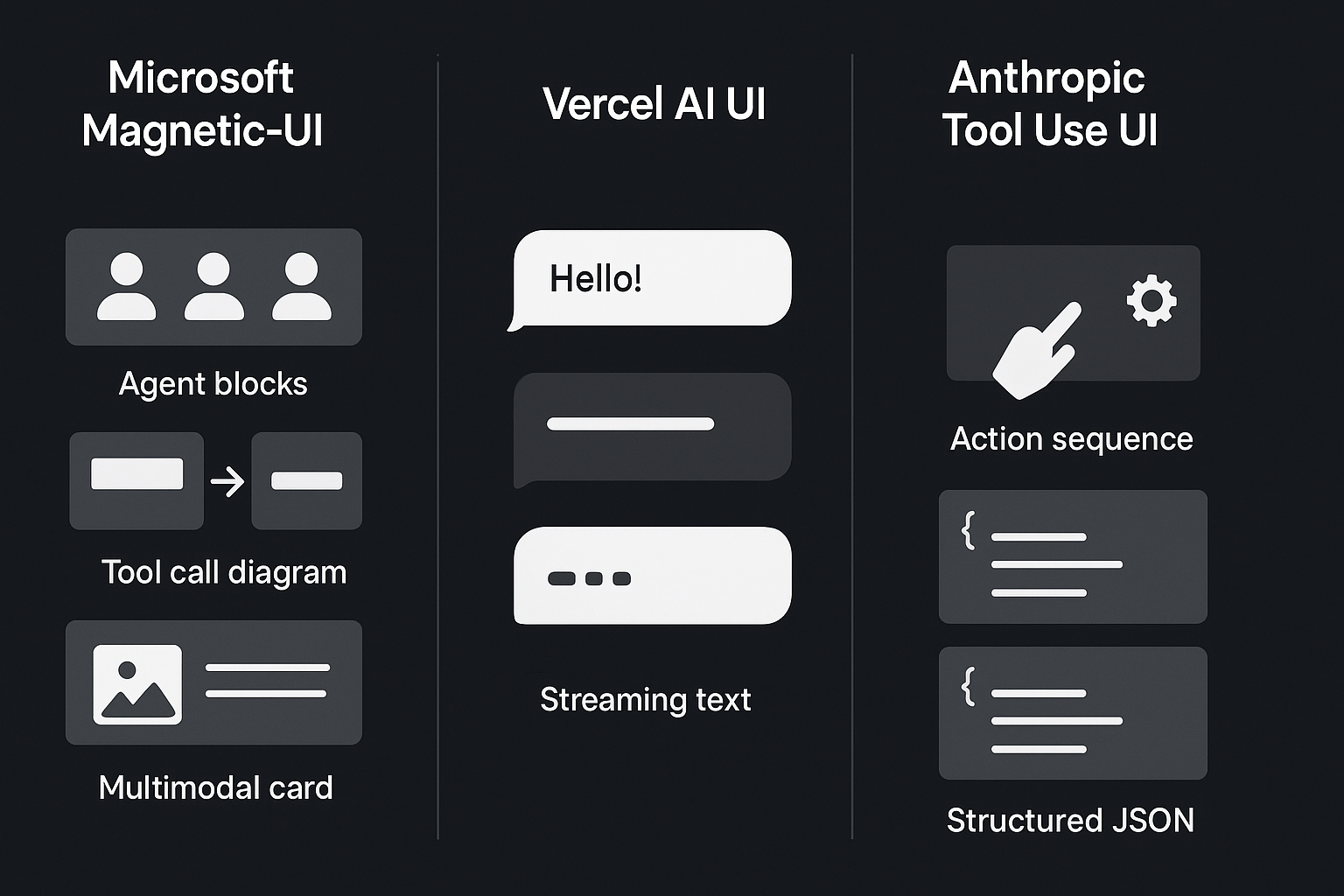
AI interfaces are finally catching up with the intelligence behind the models. A simple chat window is no longer enough. Developers now need interfaces that reveal tool calls, agent decisions, structured outputs, multimodal reasoning, and step by step execution. Three tools are leading this shift: Microsoft Magentic-UI, Vercel AI UI, and Anthropic’s Tool Use UI. Each one approaches agentic UI design differently, yet they overlap in surprising ways.
Choosing the right one can dramatically affect both developer velocity and the overall user experience. After experimenting with all three, I wanted to break down how they compare and which one makes the most sense for modern agentic applications.
What Problem These Frameworks Solve
AI interfaces today are no longer static containers. They must support:
- Live LLM token streaming
- Multi agent coordination and status updates
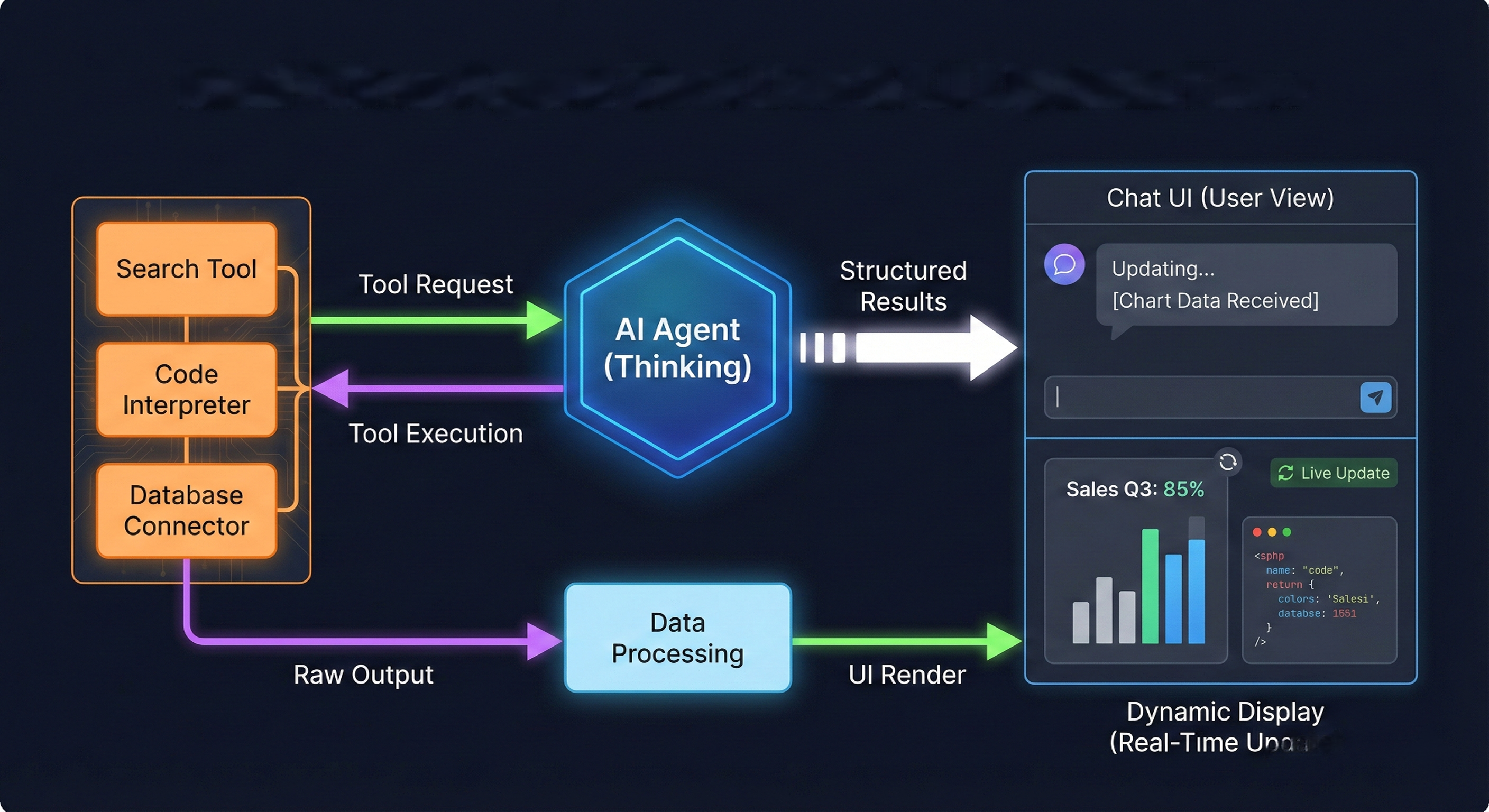
- Tool call execution and intermediate results
- Function results and structured JSON output
- Visual reasoning steps
- Multimodal rendering (text, image, code, tables, audio)
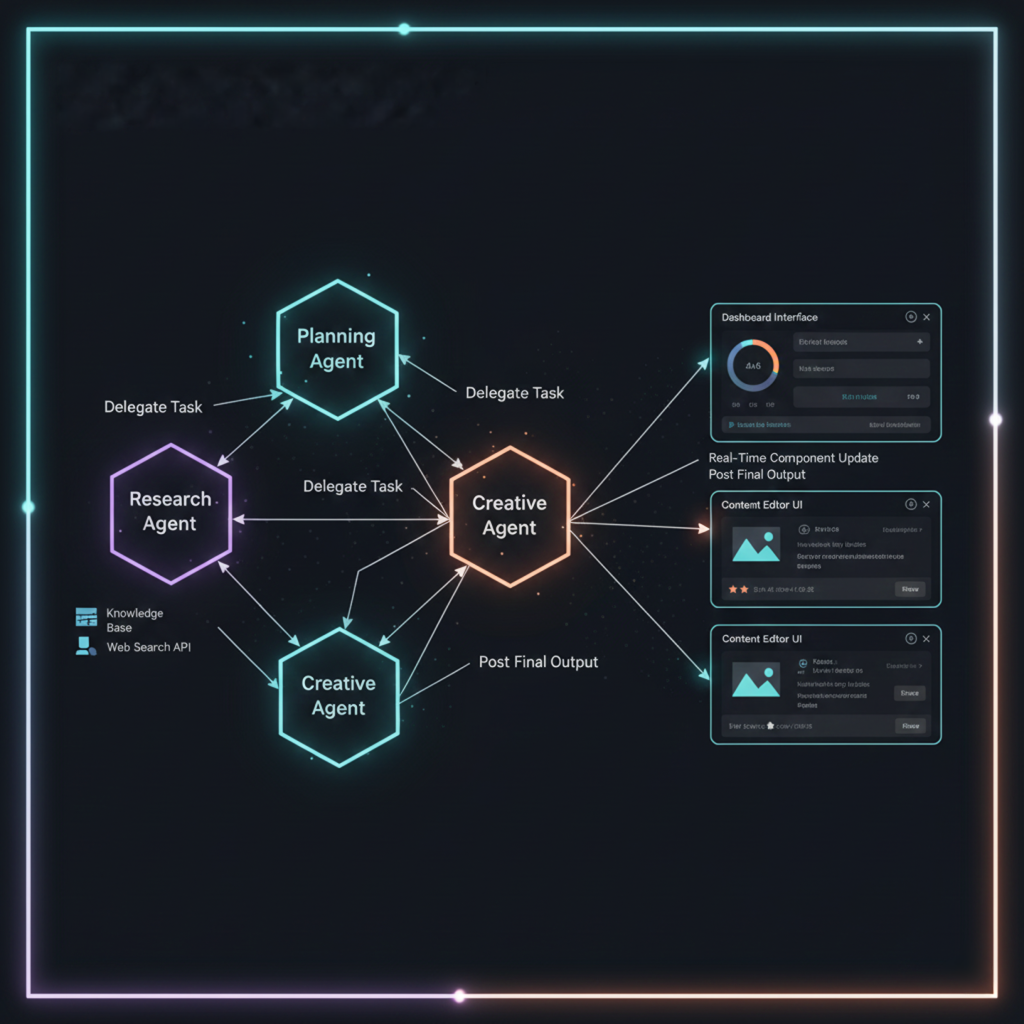
A simple chat bubble UI cannot represent the complexity of tool use, function calling workflows, or reasoning traces. This is why these libraries exist.
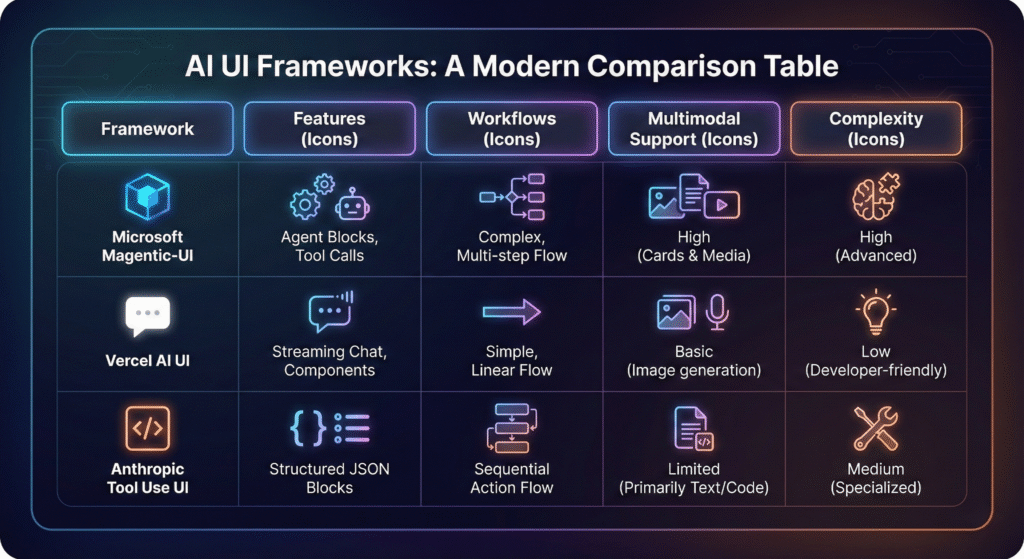
Quick Comparison Table
| Feature | Microsoft Magentic-UI | Vercel AI UI | Anthropic Tool Use UI |
| Primary Purpose | Full UI framework for agentic workflows | UI + streaming layer for chat and tools | Visualization pattern for tool use and model actions |
| UI Components | Rich library for messages, tools, agents, canvases | Minimal chat components | Tool call blocks, action sequences |
| Multimodal Support | Strong (text, code, images, markdown, JSON) | Limited to chat patterns | Strong for reasoning and action steps |
| Integration Style | React with server components and async generators | Next.js (RSC) | Provided as a pattern, not a full library |
| Best For | Complex agent systems and multimodal apps | Fast chat UIs and streaming messages | Displaying structured tool interactions |
| Customization | Very high | Medium | Medium |
| Ideal User | Developers building advanced agents | Devs shipping chat apps quickly | Research teams exploring tool calling |
Also Read:How MCP Is About to Replace Traditional APIs
Microsoft Magentic-UI
Magentic-UI is the first UI library fully dedicated to agentic interfaces. It gives you ready made components for messages, tool outputs, agent activity streams, function calls, scratchpads, and multimodal rendering. The biggest advantage is that it works naturally with async generators, which means you can stream reasoning, tool results, and agent steps in real time.
It feels like a framework built for the era of MCP, Autogen, LangGraph, and multi agent systems. If your app has many tools, agents, workflows, or visualization requirements, Magentic-UI is the most complete option.If you’re curious about Google’s creative experiments, take a look at Google Antigravity.
Best use cases:
- Multi agent copilots
- Workflow automation apps
- Debugging and visualizing LLM tool sequences
- IDE like reasoning or coding agents
- Multimodal AI dashboards
Recommended to Read:How AI Agents Turn Prompts into Full Workflows
Vercel AI UI
Vercel AI UI (part of the Vercel AI SDK) is focused on simplicity. It shines when building traditional chat interfaces or quick prototypes that need token streaming. It integrates perfectly with Next.js server components, and the developer experience is extremely smooth.
However, it is not built for advanced agentic architectures. It can display messages, tool results, and markdown, but it lacks deeper components like agent state visualization, multi agent planning, or tool execution blocks.If you’re exploring on-device AI tools, don’t miss The Local AI Revolution.
Best use cases:
- Chatbots
- Assistants
- Customer support agents
- Quick prototypes
- Lightweight AI features in production apps
See our insights on: AI Automation and DevOps
Anthropic Tool Use UI
Anthropic’s Tool Use UI is more of a reference design than a full UI library. It shows how to visually represent tool calls, structured JSON output, and step by step reasoning without revealing private chain of thought. Developers use it as a pattern to design model interactions.
It works very well for debugging or for products where transparency of tool calling is important.Learn how workflows evolve From Prompting to Context Engineering
Best use cases:
- Showing tool use and model actions in visual form
- Research applications
- Apps that require detailed reasoning visuals
- Explainable AI interfaces
Which One Should You Use?
Here is the simplest answer:
Choose Magentic-UI if you are building a serious agentic system.
This includes MCP based apps, multi agent apps, or anything with tools and workflows.
Choose Vercel AI UI if you need a clean, fast chat UI.
It is the quickest way to ship something production ready with streaming.
Choose Anthropic Tool Use UI if transparency is more important than UI richness.
It is ideal for viewing tool sequences and structured actions.
My Final Verdict
After comparing all three extensively, Magentic-UI stands out as the most future ready option. It reflects where AI interfaces are going: beyond chat windows and into intelligent, agent driven environments where reasoning, planning, and complex workflows must be visible. Vercel AI UI and Anthropic Tool Use UI are still valuable, but they solve narrower problems.
If the goal is building modern multimodal AI applications that handle tools, reasoning, and agents, Magentic-UI provides the structure developers have been missing.
Frequently Ask Questions
What makes Magentic-UI different from Vercel AI UI?
Magentic-UI offers components for full agentic workflows such as function calls, agent states, multi agent reasoning, and multimodal rendering. Vercel AI UI is optimized for chat experiences only.
Is Magentic-UI suitable for building multi agent systems?
Yes, it is designed for agentic architectures and integrates smoothly with MCP, Autogen, and LangGraph style systems.
Can I use Vercel AI UI for tool calling applications?
You can, but the UI will be minimal. It does not provide specialized blocks for tool results or planned LLM actions.
Does Anthropic Tool Use UI come as a ready made library?
No, it is a reference pattern. You adapt the design manually to your frontend.
Which UI library should I use for multimodal applications?
Magentic-UI supports code, images, JSON, markdown, and more, making it stronger for multimodal interfaces.
Which library is best for Next.js developers?
Vercel AI UI integrates naturally with Next.js and offers the smoothest developer experience for basic assistant interfaces.
Is Magentic-UI production ready?
Yes, it is built by Microsoft and React based, with a stable component model suitable for production agentic apps.
Which option is best for explainability?
Anthropic Tool Use UI offers the clearest visualization of model actions and tool calls.
Can I mix these libraries together?
Yes, some developers use Vercel AI streaming combined with Magentic-UI layout components.
Which library is recommended for enterprise AI copilots?
Magentic-UI is the best fit because it supports complex workflows, tool interactions, and agent transparency.